roundups
Best Grow Light Timers for Indoor Plants 2026
Best grow light timers for indoor plants: plug-in, smart, and heavy-duty picks for consistent light cycles that maximize growth.
 Priya Anand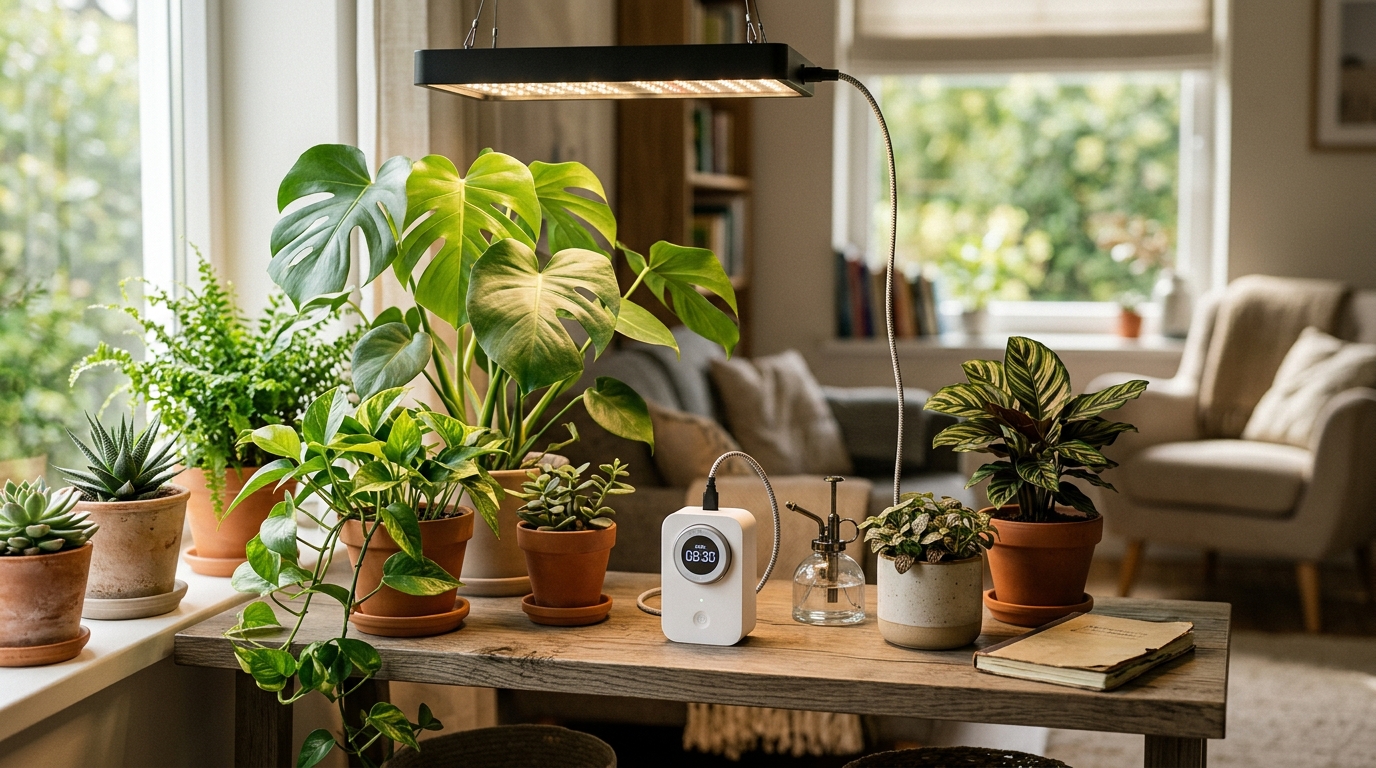
Indoor plants don’t have a sun that rises and sets on schedule — they have whatever light you remember to turn on and off. A grow light timer converts an irregular habit into an automatic, daily-consistent light cycle, and that consistency matters more than most growers realize until they’ve seen the difference. A seedling tray that receives 16 hours of light on a strict timer germinates faster and more evenly than the same tray where lights get turned on whenever you wake up and off whenever you remember. Herbs push vigorous new growth on a reliable 14-hour cycle. Flowering plants like tomatoes and cannabis are triggered by photoperiod — day length — and require a timer that holds the schedule to the minute for reliable bloom initiation.
The market for outlet timers ranges from $8 mechanical dial timers to $25 smart plugs, and the right pick depends on what your grow setup actually requires. A simple herb rack with one LED panel needs nothing more than a $12 digital plug-in timer. A basement grow room with high-power LED arrays and a 12/12 flowering schedule benefits from smart plugs with remote monitoring and energy tracking. A seed starting setup under a full-spectrum T5 or LED panel benefits from a reliable heavy-duty timer that handles continuous draw without overheating. This guide covers the best options at each tier, with specific guidance on load ratings, programming, and what makes each product worth its price.
Why grow light timers differ — the specs that actually matter
Four factors determine whether a grow light timer is the right fit for your setup:
1. Digital vs. mechanical. Mechanical timers use a rotating dial with plastic tabs that trip a switch at preset intervals — no batteries, no programming, just a physical clock. The appeal is simplicity: plug in, set the dial, walk away. The limitation is resolution. Mechanical timers typically allow 15-minute minimum intervals for on/off transitions, and the physical dial can drift over time — losing 10–20 minutes per week in some cases. For most houseplant setups where a 30-minute deviation is irrelevant, mechanical timers work fine. For any crop where photoperiod matters — flowering plants on 12/12, or microgreens on precise daily light integral targets — digital timers are the right choice. Digital timers maintain crystal-accurate scheduling via quartz clock circuits and allow programming to the minute, with 8–20 daily on/off event slots depending on model.
2. Load rating. Every timer has a maximum continuous load rating measured in amps and watts. Most LED grow lights draw well within the standard 15A (1875W at 120V) rating of residential outlets and most plug-in timers. Where load ratings become critical: high-intensity discharge (HPS, MH, CMH) fixtures that have high startup surge currents exceeding their running draw by 3–5x for the first half-second after power is applied. Running a 600W HPS light on a timer rated for resistive loads only can weld the internal relay contacts over time. Heavy-duty timers explicitly rated for motor loads and inductive loads handle this correctly. For LED setups under 1000W, standard load ratings are almost never the limiting factor.
3. Single vs. dual/multiple outlets. A single-outlet timer controls one device on one schedule — sufficient for most basic setups. A dual-outlet timer controls two devices, either on the same schedule or independent schedules depending on model. This is genuinely useful when running a grow light and an oscillating fan, a primary light and a heat mat, or two separate fixtures on different timing. Some timers offer two to four independently programmable outlets on a single device, which can replace a power strip-plus-timer approach with cleaner cable management.
4. Smart vs. standard. Wi-Fi-connected smart plugs add three things over standard digital timers: remote access from a smartphone app, energy monitoring that shows actual watt consumption over time, and voice assistant integration. The trade-off is Wi-Fi dependency. Smart plugs require a stable 2.4 GHz Wi-Fi connection to function, and schedules on some models require active cloud connectivity — if the network goes down, execution may be unreliable. Most modern smart plugs store schedules locally and will execute them without cloud connection, but verify this for any specific model before relying on it for an unattended grow room.
Quick comparison
| Product | Best for | Rating | Notes | |
|---|---|---|---|---|
| BN-LINK 7-Day Programmable Digital Outlet Timer | best overall; precise digital programming for most indoor grow setups at a budget-friendly price | ★★★★★ | $10-15. 8 on/off programs daily, 15A/1875W, LCD display with battery backup. Reliable workhorse for any LED grow light. | Check price |
| Kasa Smart Plug KP115 | best smart pick; Wi-Fi scheduling, energy monitoring, Alexa/Google Home, locally stored schedules | ★★★★★ | $15-25. 2.4 GHz Wi-Fi, local schedule storage, real-time energy tracking, compact dual-outlet-friendly form factor. | Check price |
| Woods Mechanical Plug-In Timer | best no-setup option; turn the dial tabs, set current time, done — no programming or battery needed | ★★★★☆ | $8-12. 15-minute minimum intervals, 1875W, no setup beyond moving tabs. Simple, reliable, zero learning curve. | Check price |
| Century 7 Day Heavy Duty Digital Outlet Timer | best heavy-duty; rated for motor and inductive loads, right for HID fixtures and large commercial LED setups | ★★★★★ | $15-20. 15A/1875W motor-load rated, 8 daily programs, grounded outlet, UL listed for permanent installation. | Check price |
| BN-LINK Dual Outlet Digital Timer | best dual outlet; two independently programmable outlets to run grow light and fan on separate schedules | ★★★★★ | $15-22. Two outlets, independent programming, 15A/1875W total, LCD display with battery backup. | Check price |
The picks
Best overall: BN-LINK 7-Day Programmable Digital Outlet Timer
Best for indoor growers who want precise daily scheduling for grow lights, seed starting trays, or hydroponic reservoir pumps without spending more than $15
BN-LINK 7-Day Programmable Digital Outlet Timer
The BN-LINK 7-Day Programmable Digital Outlet Timer is the go-to recommendation for most indoor plant setups because it does everything the job requires at a price where buying two or three is a practical consideration rather than a significant cost. The quartz digital clock maintains accurate scheduling to the minute, supports up to eight independent on/off events per day, and the large LCD display shows the current time and next scheduled event so you can verify programming at a glance. Load rating is 15A/1875W, which handles every LED grow light panel on the residential market — a 300W LED panel draws roughly 2.5A, leaving nearly 12A of headroom on a single timer. A manual override button lets you toggle the connected device on or off without disturbing the programmed schedule, which is useful for plant inspections during a grow tent setup. Battery backup retains the clock and programming through power outages, so a brief grid interruption doesn't reset your grow cycle mid-schedule. The BN-LINK timer is widely available, consistently in stock, and has an established reliability record with indoor growers — it's the timer most recommended in grow light reviews and hydroponic communities because it keeps working without drama.
★★★★★ 4.6 · 48,200 reviews
Check current price on Amazon→Pros
- Digital quartz clock maintains precise minute-accurate scheduling — no drift like mechanical dial timers
- Eight programmable on/off events per day cover any grow schedule including split-cycle lighting for photoperiod management
- Large LCD displays current time and next event — easy to verify programming without pressing multiple buttons
- 15A/1875W load rating handles all LED grow panels and most fluorescent fixtures comfortably
- Battery backup retains clock and all programming through brief power outages
- Manual override toggles device on or off without erasing the programmed schedule
- $10–15 price point makes it practical to run separate timers for each zone in a multi-shelf grow setup
Cons
- Single outlet only — for two independently scheduled devices you need either two timers or a dual-outlet model
- AM/PM mistakes during setup are easy to make and cause a full 12-hour schedule shift — always verify with a manual test cycle first
- The LCD backlight turns off after a few seconds to save power — requires pressing a button to read the display in a dark grow room
- Not Wi-Fi connected — no remote scheduling or energy monitoring from a phone
Best smart pick: Kasa Smart Plug KP115
Best for growers who travel, work irregular schedules, or want to monitor grow light energy consumption and adjust scheduling remotely from a smartphone
Kasa Smart Plug KP115
The Kasa KP115 brings the most useful smart features for indoor growing into a compact plug that doesn't block the second outlet on a standard duplex socket. The primary value for grow light use is scheduling from the Kasa app: set a 16-hour vegetative light cycle or a 12/12 flowering schedule from your phone, adjust it remotely if you're away, and confirm the outlet switched on as scheduled. The energy monitoring feature tracks real-time wattage draw and historical consumption — useful for understanding the power cost of a grow setup, comparing actual draw versus rated wattage, and identifying if a light fixture is consuming more power than expected. The schedule is stored locally on the device, so it executes without an active internet connection once programmed — critical for grow light applications where missing an on-cycle can slow plant development. The KP115 works on 2.4 GHz Wi-Fi and integrates with Alexa and Google Home for voice-command control. At $15–25, it costs more than the BN-LINK digital timer, but the combination of remote access, energy monitoring, and app-based scheduling justifies the premium for growers who want more visibility and flexibility than a standalone timer provides.
★★★★★ 4.7 · 98,600 reviews
Check current price on Amazon→Pros
- App-controlled scheduling with remote access — change the grow light cycle from anywhere with a phone connection
- Real-time energy monitoring tracks wattage draw and historical consumption for power cost visibility
- Local schedule storage means scheduled on/off events execute even when internet or cloud service is down
- Compact form factor — doesn't block the second outlet on standard residential duplex sockets
- Alexa and Google Home compatible for voice-command light control in the grow room
- Kasa app is well-maintained with a clean scheduling interface and reliable push notifications
Cons
- Requires 2.4 GHz Wi-Fi for initial setup and ongoing remote access — not suitable for locations with poor Wi-Fi coverage
- $15–25 costs meaningfully more than basic digital timers for the same fundamental on/off scheduling function
- Smart plug failure modes are more complex — firmware updates, Wi-Fi dropouts, and account management add maintenance overhead
- No physical manual dial — if you prefer a non-app interface, the BN-LINK is a better fit
- Single outlet only — same limitation as most standard plug-in timers
Best no-setup option: Woods Mechanical Plug-In Timer
Best for beginner growers setting up a first herb rack or seedling station who want a basic daily light cycle automated without any programming, batteries, or setup steps
Woods Mechanical Plug-In Outlet Timer
The Woods mechanical timer is for growers who want automation without any technology: press the small tabs in on the rotating dial face to mark the hours you want the light on, rotate the dial to the current time, plug in the light. That's the complete setup process — no buttons, no display, no battery required. The physical clock mechanism turns the outlet on and off as the dial rotates through the tabs you've set. The 1875W continuous load rating handles standard LED panels, and the 3-prong grounded outlet accommodates the power supplies used by most grow lights. The 15-minute minimum tab interval is the key limitation: you can set an 8-hour or 14-hour on cycle, but not 14 hours and 10 minutes. For most houseplants and herbs on a simple daily cycle, 15-minute resolution is more than adequate. Mechanical timers can drift slightly over weeks — gaining or losing 10–20 minutes per week is normal for a low-cost mechanical clock — which matters for photoperiod-sensitive flowering crops but not for vegetative herb or seedling schedules. At $8–12, the Woods mechanical timer is the lowest-friction entry point into automated grow light scheduling.
★★★★☆ 4.4 · 21,300 reviews
Check current price on Amazon→Pros
- Zero programming setup — set the tab positions, set the current time, plug in. Works immediately with no instructions
- No battery required — mechanical clock runs on the same power as the outlet itself; nothing to replace
- $8–12 is the lowest price point for a functional grow light timer
- 1875W continuous rating handles all standard LED grow light panels and most T5/T8 fluorescent fixtures
- Grounded 3-prong outlet for safe use with grow light power supplies
- Completely offline — no Wi-Fi, no app, no account. Nothing to fail except the mechanical clock mechanism.
Cons
- 15-minute minimum on/off interval — cannot program precise photoperiod schedules to the minute
- Mechanical clock drift (10–20 min per week) makes it unsuitable for strict 12/12 flowering cycle management
- No battery backup — power outage resets the clock position and requires manual resetting to correct time
- Tab inspection in a dark grow room requires a flashlight to confirm which hours are set active
- No manual override — to check plants mid-cycle you must physically rotate the dial or unplug the timer
Best heavy-duty: Century 7 Day Heavy Duty Digital Outlet Timer
Best for growers running high-intensity discharge fixtures, high-wattage LED arrays, or any grow light application where relay durability and inductive load handling are required
Century 7 Day Heavy Duty Digital Outlet Timer
The Century Heavy Duty timer is built for applications where a standard residential relay isn't appropriate — specifically HID (HPS, MH, CMH) lighting that draws high startup surge current, or continuous-duty applications running 18–20 hours per day where internal relay wear is a real concern. The key engineering difference is the relay contact specification: heavy-duty timers use contacts rated for both resistive (LED, incandescent) and inductive (motor, HID ballast) loads, preventing relay welding from magnetic ballast startup surge. The Century model supports 15A/1875W continuous with a motor-load rating — the specification that matters for HID use. The 7-day digital programming (8 daily on/off events, minute-accurate scheduling) is the same capability as the BN-LINK at a similar price, with the added reliability of an industrial-grade relay assembly. Battery backup retains all programming through power outages. The grounded 3-prong outlet and UL-listed rating make it appropriate for permanent installations in a basement or closet grow space. If you're running LED panels under 500W continuous, the standard BN-LINK handles the load fine. If you're running HID, CMH, or have a setup that will operate continuously for years, the Century Heavy Duty's relay specification is the right engineering choice.
★★★★★ 4.7 · 35,800 reviews
Check current price on Amazon→Pros
- Motor and inductive load rating — handles HPS, metal halide, and CMH ballast startup surge currents without relay welding
- 8 programmable daily on/off events with minute-accurate digital scheduling and 7-day weekly cycle support
- 15A/1875W continuous rating with industrial relay contacts designed for long-term, high-cycle-count operation
- UL listed — meets safety standards for permanent indoor electrical installation
- Battery backup preserves clock and programming through power outages
- Priced similarly to the BN-LINK (~$15–20) — a modest premium for significantly better relay durability
Cons
- Slightly bulkier form factor than the BN-LINK timer — may block adjacent outlets on some wall plate configurations
- Single outlet only — same as most standard plug-in timer options
- The programming interface requires reading the manual to navigate correctly — button layout is not intuitive on first use
- No Wi-Fi or smart features — standard digital timer functionality only
Best dual outlet: BN-LINK Dual Outlet Digital Timer
Best for growers who need to run a grow light and an exhaust fan, oscillating fan, or heat mat on separate schedules from a single wall outlet
BN-LINK Dual Outlet Digital Timer
The BN-LINK dual-outlet timer has two separately programmable outlets, which solves the most common multi-device grow room timer problem: running a grow light and a ventilation fan on different schedules. A grow light might run 16 hours on, 8 hours off. An exhaust fan might need to run 18 hours to handle heat — or 24 hours for a sealed grow tent requiring constant air exchange. With single-outlet timers, you'd need two separate devices and two wall outlets. The BN-LINK dual-outlet handles both from a single plug with one programming interface. Each outlet supports its own independent schedule with up to 8 daily on/off events. The total combined draw across both outlets is 15A/1875W, so verify that the combined wattage of all connected devices stays within this limit — a 300W LED and a 50W fan draws a combined 350W, well within rating. The same battery backup present in standard BN-LINK models protects both outlets' schedules through power outages. At $15–22, it costs slightly more than a single-outlet timer but replaces two devices and frees up a wall outlet in most grow room configurations.
★★★★★ 4.5 · 12,400 reviews
Check current price on Amazon→Pros
- Two independently programmable outlets — run grow light and fan on completely different schedules from one device
- Replaces two single-outlet timers in most grow configurations, freeing up one wall outlet
- Up to 8 daily on/off events per outlet — same programming depth as single-outlet BN-LINK models
- Battery backup retains both outlets' programming through power outages
- LCD shows status and next scheduled event for both outlets simultaneously
- $15–22 pricing is close to purchasing two single-outlet timers — the cable management simplification alone justifies the choice
Cons
- Combined 15A/1875W capacity shared across both outlets — must verify total wattage of all connected devices stays within limit
- Larger physical footprint than single-outlet timers — will block adjacent outlets on most standard wall plates
- Programming two independent schedules on the same device requires more button navigation than a single-outlet timer
- Not available in a Wi-Fi smart version — dual-outlet remote scheduling requires two separate smart plugs
What to skip
Mechanical timers for photoperiod-sensitive crops. If you’re growing cannabis, chili peppers, or any short-day plant that initiates flowering in response to a 12/12 light-to-dark cycle, a mechanical dial timer is the wrong tool. Clock drift of 10–20 minutes per week compounds to over an hour per month — enough to delay or interrupt flowering initiation in sensitive cultivars. Use a digital timer with minute-accurate scheduling and battery backup for any photoperiod-managed crop.
Ungrounded 2-prong timers for grow lights. Most grow light power supplies use 3-prong grounded plugs for a reason — the ground connection provides a safety path for fault current. Using a 2-prong adapter to connect a 3-prong grow light bypasses this protection. Only use timers with 3-prong grounded outlets for grow light applications.
Outdoor-rated timers for permanent indoor installs. Outdoor timers are weatherproof and bulky — large housings, rubberized covers, and overkill construction for a single indoor grow light circuit. Indoor-rated plug-in timers are compact, purpose-designed for residential use, and certified for permanent indoor installation. Outdoor timers work technically, but they’re oversized and unsuitable for the tight spaces common in indoor grow room setups.
Smart plugs without locally-stored schedules. Some lower-cost smart plugs only execute schedules when the device has an active cloud connection — if the internet goes down, scheduling stops. For grow lights, this is a reliability risk that can cost you a crop cycle. Before buying any smart plug for a grow light, verify the device stores and executes schedules locally rather than requiring cloud connectivity. Kasa models store schedules locally; verify this for any other brand you consider.
FAQ
Frequently asked questions
How many hours per day should grow lights run for indoor plants?
Can I use a regular outlet timer for grow lights?
What wattage timer do I need for my grow light?
Smart plug vs. dedicated timer — which is better for grow lights?
Do I need separate timers for my grow light and exhaust fan?
Why did my timer miss a scheduled on or off cycle?
Can I use a timer with a dimmable grow light?
Bottom line
Best overall: BN-LINK 7-Day Programmable Digital Outlet Timer — minute-accurate digital scheduling, 15A capacity, battery backup, and $10–15 pricing that makes automating every zone in a multi-shelf grow setup practical. Best smart pick: Kasa Smart Plug KP115 — remote scheduling, energy monitoring, and locally stored schedules for growers who want phone visibility and voice control. Best no-setup: Woods Mechanical Timer — set the dial tabs, walk away, no programming required, best for simple herb or houseplant cycles where 15-minute resolution is adequate. Best heavy-duty: Century 7-Day Heavy Duty — the right timer for HID fixtures, high-power LEDs, and permanent installations where relay durability is the priority. Best dual outlet: BN-LINK Dual Outlet — independently programmable outlets for running grow lights and fans on different schedules from a single wall plug.
Start with the BN-LINK digital timer for any new LED grow setup. It handles the full range of LED grow lights at a price where mistakes are cheap, programs in under two minutes, and runs reliably for years.
For more on building a complete indoor grow setup: grow lights that pair with a properly timed schedule for consistent daily light delivery, smart gardens with automated lighting and watering built in from the start, hydroponic systems where consistent light timing is critical for predictable crop cycles, and indoor herb gardens that benefit most from a reliable 14–16 hour vegetative light schedule on a set timer.